

You’ve spent months planning the details of your wedding day: the outfits, the music, the moments. But here’s the thing most couples realize too late: your guests will capture hundreds of incredible photos you’ll never see unless you give them an easy way to share.
If you’re searching for the best way to upload wedding photos from guests, you’ve come to the right place. In this blog post, I’ll walk you through a simple, guest-friendly solution that feels effortless for everyone and gives you a beautiful shared photo album… without apps, logins, or awkward reminders. Let’s get started!
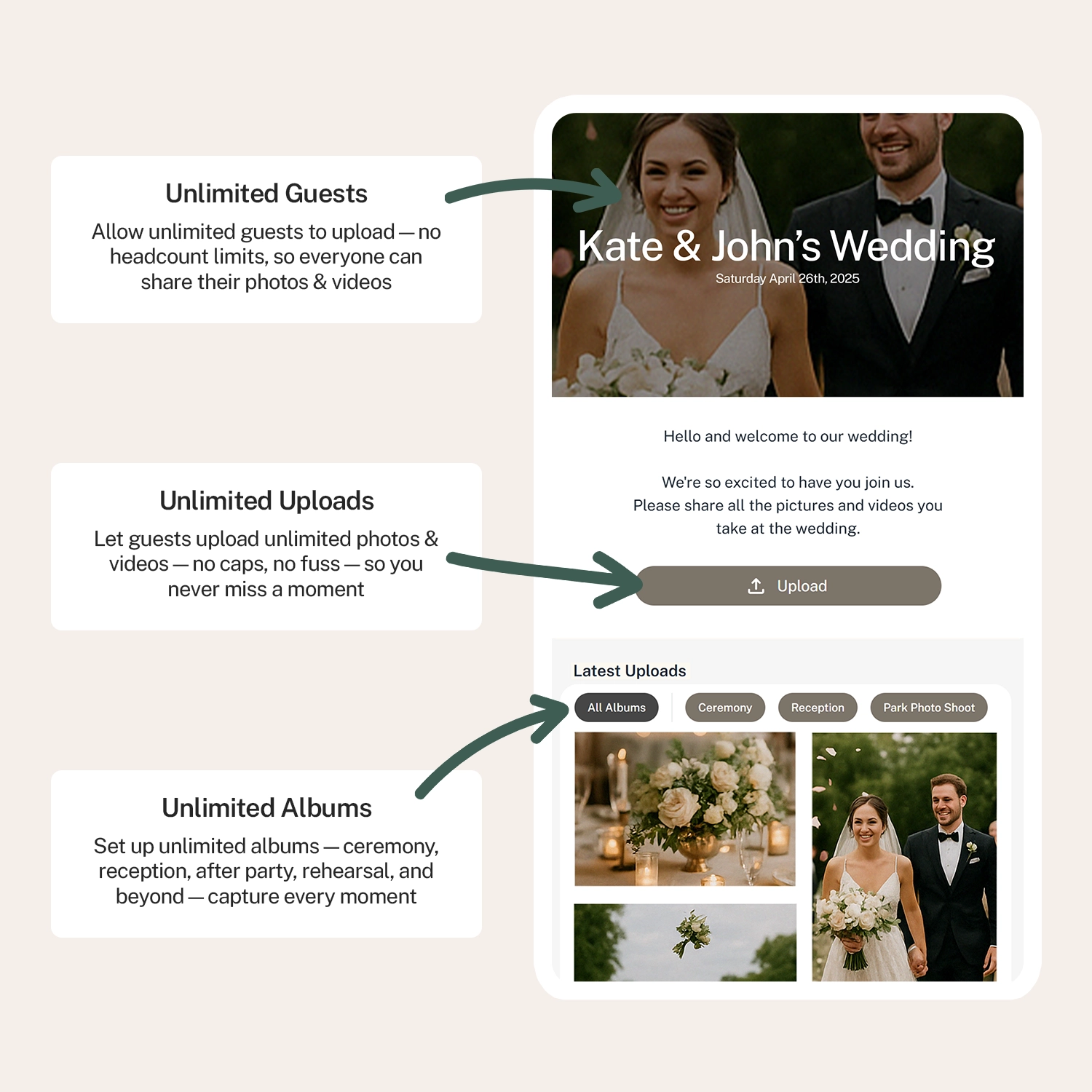
The easiest way to upload wedding photos from guests is to use PicturesQR where you get a QR code that links to a shared upload page. Guests scan, upload instantly, and no app or account is required.
This guide is perfect for you if:
- You want an easy way for guests to upload wedding photos
- You don’t want to force guests to download an app
- You want candid, behind-the-scenes moments
- You’d love one shared place for all guest photos and videos
Why Couples Want Guests to Upload Wedding Photos
Your photographer will capture the big moments. Your guests capture everything else: the candid laughs, the dance floor chaos, the quiet in-between moments you never even knew happened.
When guests can easily upload wedding photos:
- You see your day from dozens of perspectives
- You get photos immediately, not months later
- Everyone feels included in telling your story
- No chasing people for photos after the honeymoon
The challenge? Most “solutions” make things harder than they need to be.
The Common Problem With Guest Photo Sharing
You’ve probably seen (or tried) these options:
- Group texts or WhatsApp threads that get messy fast
- Google Drive or Dropbox links guests forget to use
- Custom wedding apps no one wants to download
- Hashtags that only work if guests post publicly
What you really want is something that works instantly, especially for less tech-savvy guests.
A Simple Way to Upload Wedding Photos From Guests (No App Needed)
This is where PicturesQR quietly shines.
Instead of asking guests to download anything, you give them one thing they already know how to use: a QR code.
Here’s how it works for you and your guests:
- You create a shared wedding photo upload page with PicturesQR
- A unique QR code is generated for your wedding
- You display the QR code at your reception (tables, signs, programs)
- Guests scan, upload, and they’re done… seconds later
No accounts. No passwords. No confusion.
Comparing Popular Ways to Upload Wedding Photos From Guests
| Method | Easy for Guests? | Private? | App Required? |
|---|---|---|---|
| Wedding Hashtag | Only for social users | No | No |
| Google Drive / Dropbox | Often forgotten | Yes | No |
| Wedding Apps | Poor reception | Yes | Yes |
| PicturesQR | Yes, instantly | Yes | No |
Why Guests Actually Use PicturesQR
When couples tell us what worked best on their wedding day, one thing comes up again and again: ease.
PicturesQR makes it incredibly easy for guests to upload wedding photos because:
- It works on any smartphone
- No app download required
- Uploading takes less than a minute
- Even non-tech guests can use it
- Photos stay private to your event
When something is this simple, guests actually follow through.
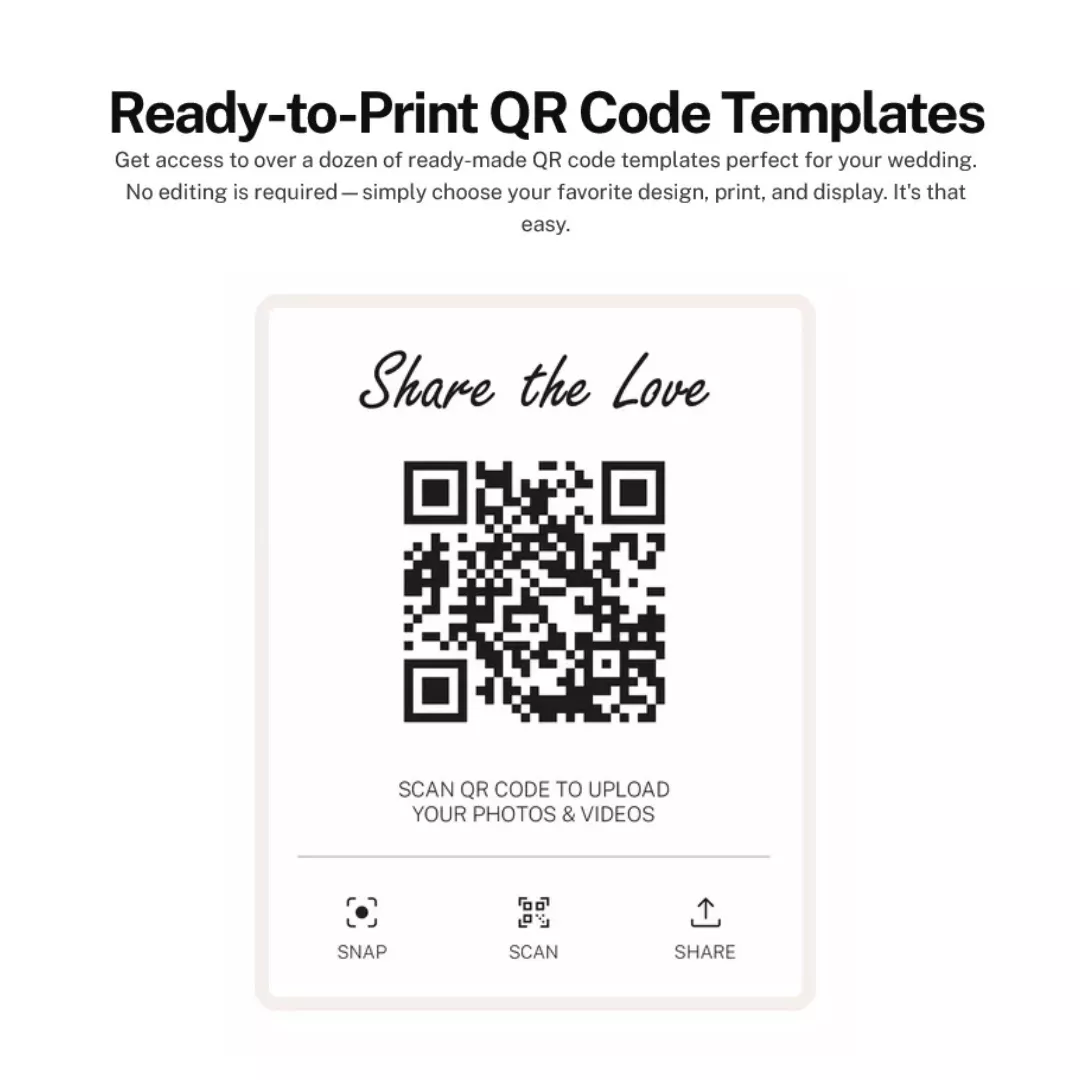
We love solutions that solve a real wedding-day problem without adding stress, and this is one couples consistently tell us they’re glad they used.
How to Encourage Guests to Upload Photos (Pro Tips)
Want maximum participation? These small tips make a big difference:
1. Put the QR Code Everywhere
Reception tables, bar signs, welcome signs, and even bathroom mirrors work surprisingly well.
2. Use Friendly Language
Instead of “Upload your photos”, try:
“Help us see our day through your eyes! Scan to share your photos!”
3. Mention It Once
A quick announcement from the DJ or MC is all it takes. No nagging needed.
4. Start Early
Display the QR code as guests arrive so uploads start before the dance floor opens. You can even share it at pre-wedding celebrations to collect photos from those events, too, and guests will already be familiar with how it works.
When Guests Can Upload Photos (Before, During, and After)
One of the best parts about using a QR code photo upload is that it’s not limited to just the reception.
- Before the wedding: Collect photos from showers, bach parties, and welcome events
- During the wedding: Ceremony reactions, cocktail hour, dance floor moments
- After the wedding: Guests can upload once they’re home 😉
This means nothing gets missed (and no one feels rushed).
FAQs: Uploading Wedding Photos From Guests
Do guests need an account?
No. Guests simply scan the QR code and upload their photos, no sign-up required.
Can guests upload videos too?
Yes. Photos and short videos can be uploaded directly from their phones.
Will guests see other people’s photos?
That’s up to you. You can keep uploads private or allow a shared gallery experience.
Is this better than a wedding hashtag?
If you want all photos (including private ones and videos) absolutely. Hashtags only work for public social posts.
What if someone forgets during the wedding?
No problem! You receive a dedicated event page URL assigned to your event, so guests can share photos even after the event if they forgot to scan the QR code. Many couples keep the QR code active after the wedding so guests can upload later.
What to Print for Your Wedding Photo QR Code
- Table cards or tent signs
- A bar sign (great visibility)
- Welcome sign near the entrance
- A small note in your ceremony program
Choose at least two locations so guests notice it naturally without needing reminders.
Mistakes to Avoid When Collecting Guest Wedding Photos
- Making guests create an account
- Only sharing the link once
- Hiding the QR code in one location
- Waiting weeks to ask for photos
The easier you make it, the more photos you’ll receive… simple as that!
Why You’ll Be So Glad You Did This After the Wedding
Imagine waking up the morning after your wedding and already seeing moments you missed, i.e. your parents laughing, your friends dancing, the quiet joy between vows.
When guests can upload wedding photos easily, you don’t just get images. You get memories delivered (without stress).
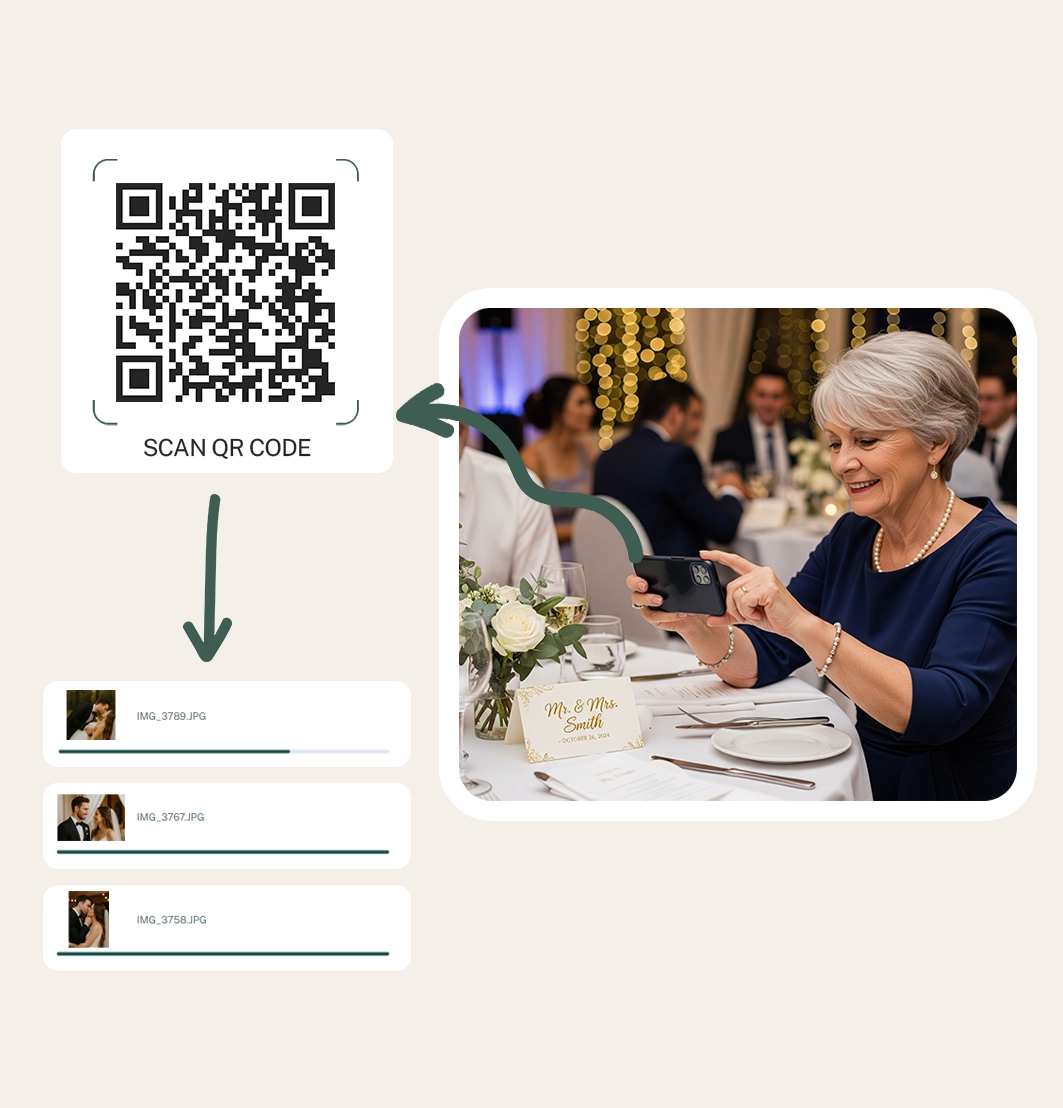
Why This Has Become So Popular at Modern Weddings
More couples are choosing QR code photo uploads because weddings have changed.
Guests already have their phones out. They’re already taking photos. Giving them an instant, simple place to send those memories just makes sense.
It’s less about tech and more about making sharing feel natural.
Ready to Collect Every Moment?
If you want the easiest, most guest-friendly way to upload wedding photos from guests, PicturesQR is a beautiful fit.
These are the photos that show how your wedding felt, not just how it looked.
Create your QR code, share it on your wedding day, and let your guests do the rest.
Your future self will thank you.
Happy Planning (+ Photo-Taking!)
xo
Emma
This is a sponsored post.